Guides · Getting started
Tailor a post for each network
Write once, then adjust just the networks that need it — without starting over.

One post, many shapes
What works on LinkedIn is often too long for X, and Instagram won't post without a picture. In the composer, write your main version first. Then open the tab for any network and choose Customise. That network gets its own text; the rest keep following your main version.
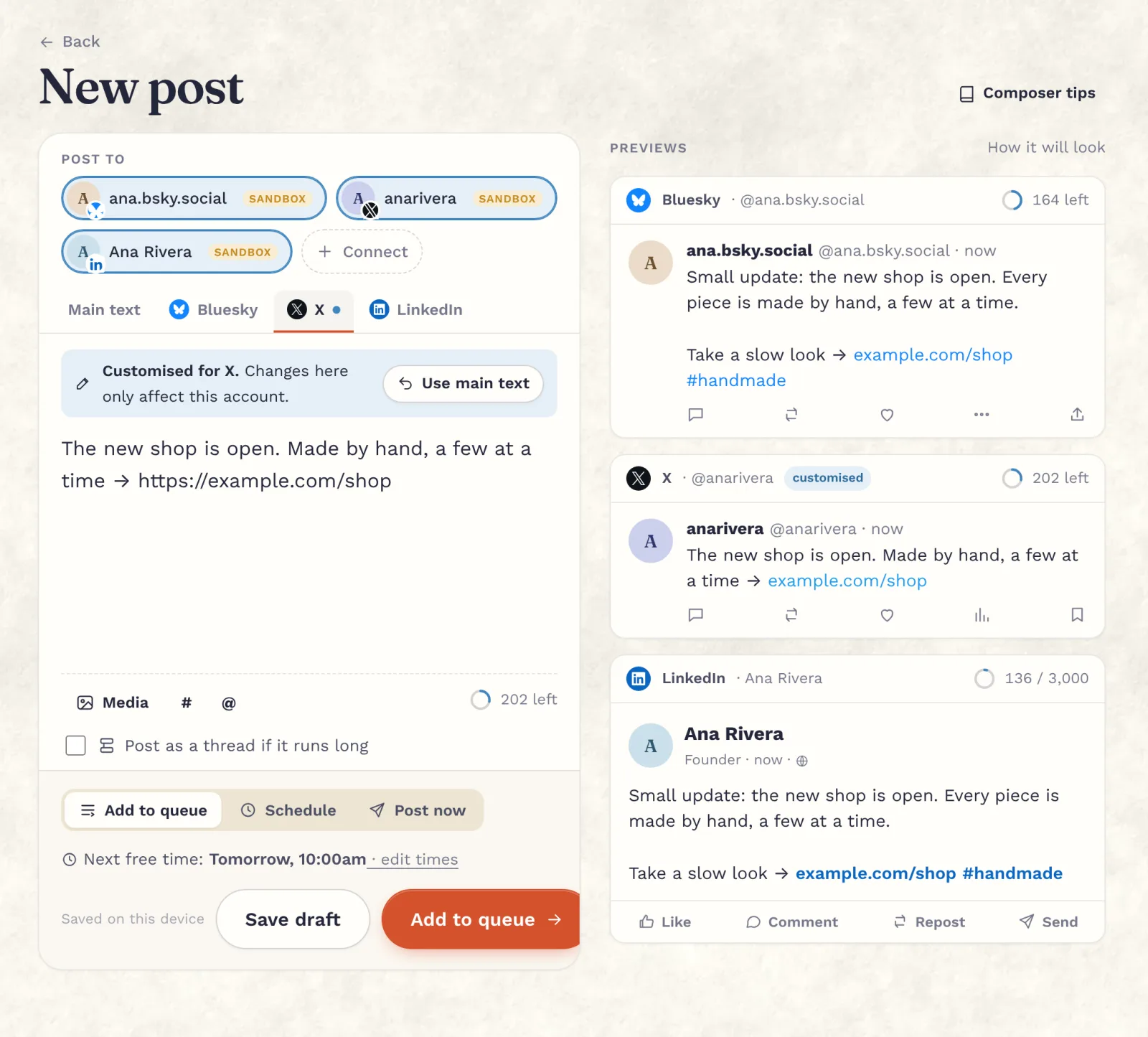
Read the rings
Each network shows a ring that fills as you write. It turns amber near the limit and coral past it. Underneath, paperboat lists anything that would stop the post — a missing image for Instagram, too many hashtags, a title for YouTube — in plain words.
Long posts become threads
On X and Threads, a post that runs long can be sent as a thread. Turn on Post as a thread and paperboat splits it at sentence and word boundaries, numbering each part.