Guides · Getting started
Build a queue that runs itself
Pick your posting times once. After that, adding a post takes seconds.
What the queue is
Your queue is a set of times you like to post — say, weekdays at 9:00am and 5:30pm. When you choose Add to queue, paperboat drops your post into the next free time. No date pickers, no decisions. Just a steady rhythm.
Set your times
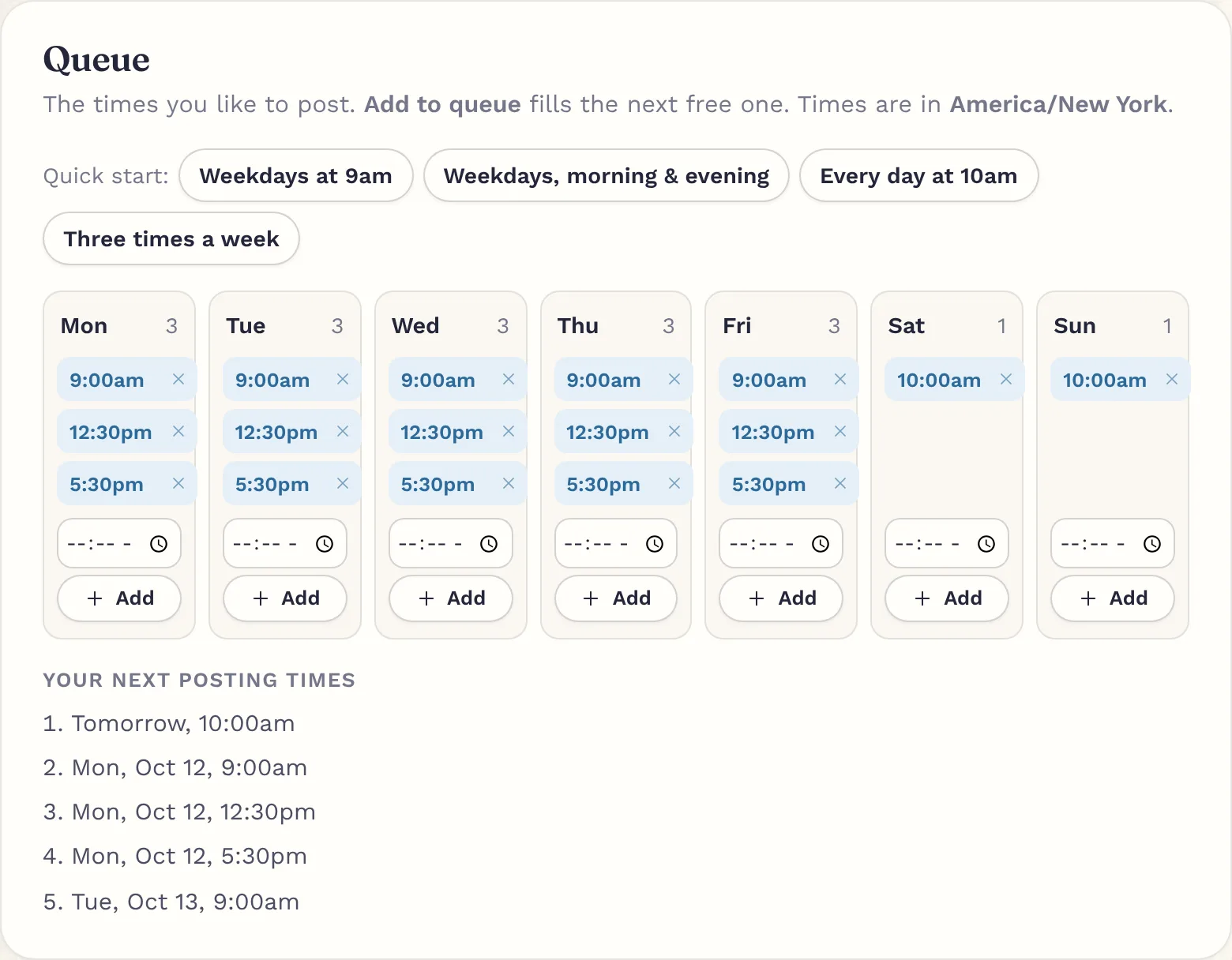
Open Settings → Queue. You'll find a few sensible times already there. Click a time to remove it, or add new ones for any day. Times follow your time zone, and daylight saving is handled for you.
A good starting rhythm
- Once a day is plenty for most people. Consistency beats volume.
- Post when your people are around — mornings for work audiences, evenings for hobbies.
- Leave weekends lighter. Rest is part of the work.