


Free
For trying it out, or a light posting habit.
$0forever
- 2 connected accounts
- 2 posts scheduled at a time
- Every live network
- Queue, calendar and previews
- Not included: API, CLI and MCP for AI assistants
No card. Stay as long as you like.
Write it once, tailor it for each network, and paperboat sends each one out on time. No team seats, no dashboards shouting at you.
Free to start, no card needed. Want more? Try Solo (from $7.50 a month, billed yearly) or Pro for 7 days for $1.

Each big network reviews apps before they can post, so they open one by one. This list updates itself as they do.
About five minutes from sign-up to your first post sailing out. The five-minute guide shows each step.

One place for the idea. Add images, links and hashtags. Characters are counted the way each network counts them, so nothing gets cut off.
Guide: Your first post
Shorter for X, a touch longer for LinkedIn, an image for Instagram. Adjust any network without starting over.
Guide: Tailor for each network
Post now, pick a time, or drop it in your queue. It leaves on time and tells you when it lands.
Guide: Build your queueWhat paperboat sends to each network, and what isn't there yet. No small print.
Instagram is waiting on Meta's review. Join the waitlist and we'll email you once, the day it opens.
Instagram limits and detailsTikTok is in early access while TikTok reviews paperboat. Until it approves, only a few test accounts can connect. Join the waitlist and we'll email you once, the day it opens.
TikTok limits and detailsGoogle reviews every app that posts to YouTube before it can open to everyone, so YouTube isn't open on paperboat yet. Join the waitlist and we'll email you the day it opens. Meanwhile you can try it in sandbox mode, which runs everything except the final post.
YouTube limits and detailsFacebook is waiting on Meta's review. Join the waitlist and we'll email you once, the day it opens.
Facebook limits and detailsX is in early access while we test it with a few accounts. Join the waitlist and we'll email you once, the day it opens.
X limits and detailsLinkedIn is in early access while we test it with a few accounts. Join the waitlist and we'll email you once, the day it opens.
LinkedIn limits and detailsThreads is waiting on Meta's review. Join the waitlist and we'll email you once, the day it opens.
Threads limits and detailsPinterest reviews every app that posts to Pinterest before it can open to everyone, so Pinterest isn't open on paperboat yet. Join the waitlist and we'll email you the day it opens. Meanwhile you can try it in sandbox mode, which runs everything except the final post.
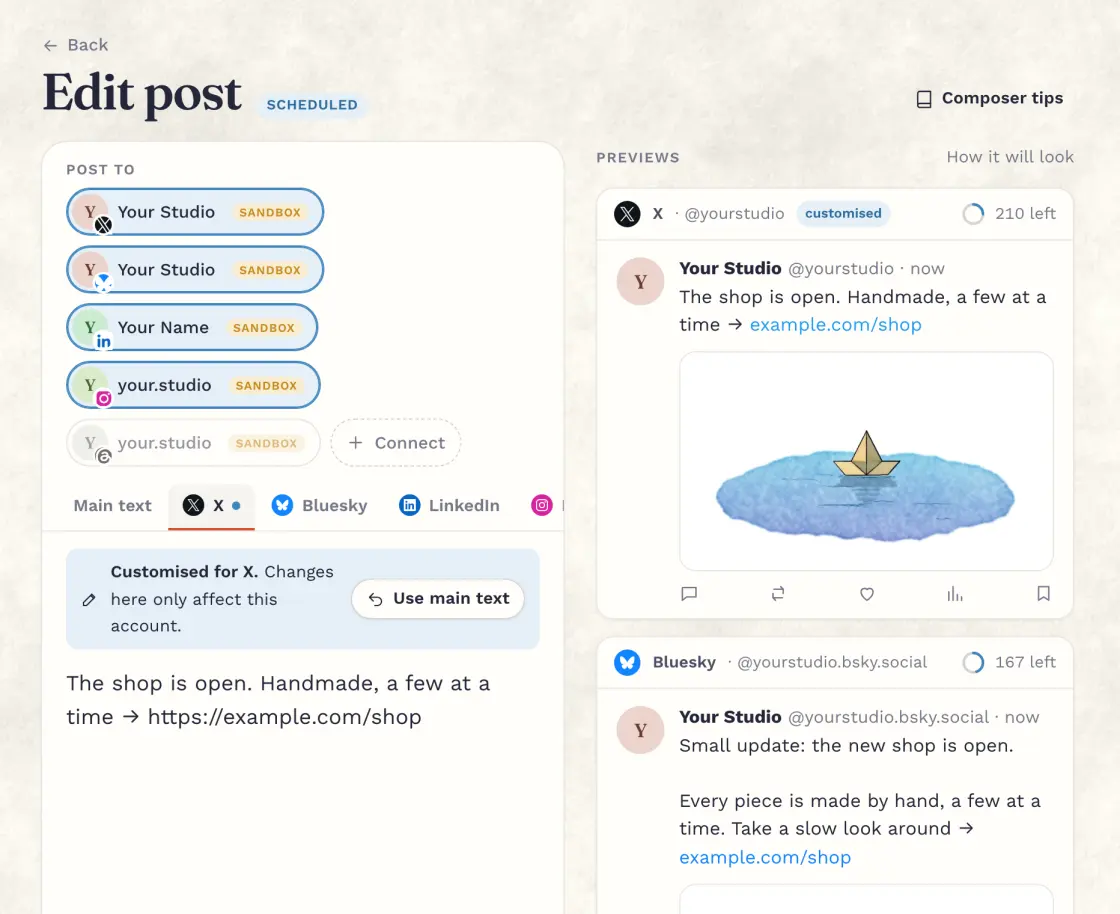
Pinterest limits and detailsStart with one post. paperboat shows it the way each network will, counts the way each one counts, and lets you change just the X version, or just LinkedIn's, without starting over.
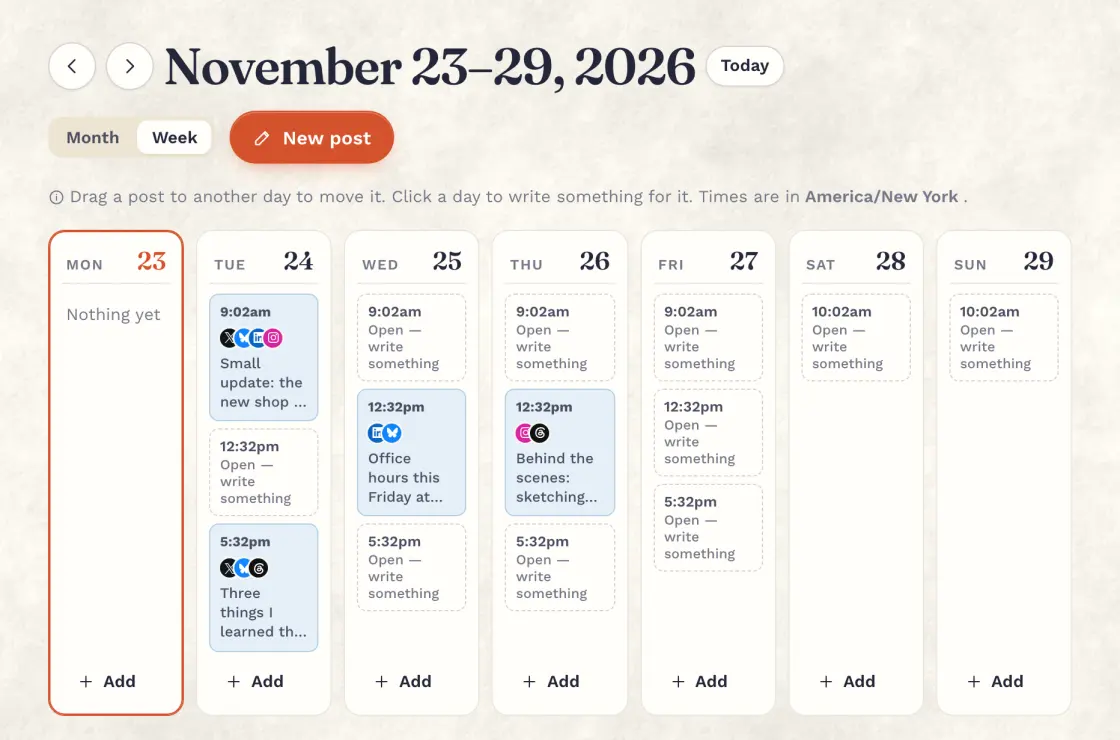
Set the times you like to post. Drop a post in the queue and it takes the next free slot, or pick an exact time. The calendar shows the whole week; drag a post to move it.
paperboat has an MCP server, so Claude and other AI assistants can draft, check and schedule posts for you.
Prefer a terminal? The paperboat CLI does what the app does, with --json for scripts.
Start on Free, with no card. When you want more, try Solo or Pro for 7 days for $1. If you stay, the $1 comes off your first month or year. If you cancel during the trial, you're not charged again (the $1 isn't refunded).
For trying it out, or a light posting habit.
$0forever
No card. Stay as long as you like.
For one person posting to their own profiles.
$90a year
That's $7.50 a month, billed yearly.
$1 today for 7 days of Solo. Then $90 a year unless you cancel. If you stay, the $1 comes off your first year.
For people who post every day, everywhere.
$190a year
That's $15.83 a month, billed yearly.
$1 today for 7 days of Pro. Then $190 a year unless you cancel. If you stay, the $1 comes off your first year.
For teams, agencies and brands posting at scale.
Let's talk
Contact salesCustom pricing for larger accounts.
An account is one profile on one network: @you on Instagram and @you on TikTok are 2 accounts. Free keeps up to 2 posts scheduled at a time; drafts don't count, and each post that goes out frees a slot.
Every plan: no ads, no selling your data. Cancel any time in Settings. Payments are handled by Stripe. Plan details
No. You connect through each network's official sign-in, approve paperboat on the network's own page, and can remove it there any time. Everything we store is encrypted at rest.
No. paperboat posts through each network's official API, exactly as if you'd pressed Post yourself. The network can't tell the difference, and doesn't penalise it.
The networks list shows what's live today. X, LinkedIn and TikTok are in early access: only a few test accounts can connect while each one is reviewed or tested. Instagram, Threads, Facebook, LinkedIn Page, YouTube and Pinterest are coming soon. Each big network approves apps before they can post, so they open one by one. Until then you can try them in sandbox mode, which never really posts.
paperboat retries quietly when a network is having a moment. If it really can't post, you'll see why in plain words, and can fix it and resend in one click. Nothing fails silently.
Start on Free, with no card. To try Solo or Pro, pick the plan and monthly or yearly in Settings, add a card, and pay $1 for 7 days of it. Unless you cancel, the plan starts when the 7 days are up and renews every month or year until you cancel; if you stay, the $1 comes off your first payment. Cancelling during the trial is one click in Settings: you keep the plan until the trial ends, you're not charged again, and the $1 isn't refunded. We email you 2 days before it ends. One trial per person. On Free, nothing is deleted and posts you already scheduled still go out. Free keeps up to 2 posts scheduled at a time, so if you have more, you can schedule new ones once you're under 2. If you have more than 2 accounts, you pick which 2 stay active and the rest pause until you choose a paid plan.
paperboat is made by Idle Fusion, an independent app & web studio in Atlanta. Idle Fusion LLC runs the service.
Yes. No contracts, no lock-in. Export everything from Settings, then delete your account in one step.
Something else? Write to hello@paperboatapp.com — a person will answer.
